
Instagram Could Not Refresh Feed Meaning
Instagram could not refresh feed means Instagram failed to load new content due to network issues, app problems, or temporary server or account restrictions. This article explains what it means, why it happens, and how to fix it.
Jordan Blake
1/3/20262 min read

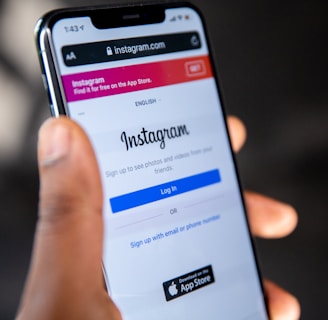
What Does Instagram Could Not Refresh Feed Mean?
When Instagram shows “could not refresh feed”, it means the app was unable to fetch new posts or updates. As a result, your feed does not load or update properly.
This issue is usually temporary and does not mean your account is banned or deleted.
Instagram is operated by Meta, and feed refresh issues are often technical rather than punitive.
Common Reasons Instagram Cannot Refresh Feed
1. Internet Connection Problems
Weak or unstable internet is the most common cause. This includes:
Poor mobile data signal
Unstable Wi-Fi
Network switching during app use
2. Instagram Server Issues
Sometimes Instagram’s servers experience outages or temporary glitches. When this happens, feeds may not refresh for many users at once.
3. App Cache or App Bugs
Corrupted cache, outdated app versions, or app bugs can prevent the feed from loading properly.
4. Temporary Action Limits
If you performed too many actions in a short time, Instagram may temporarily restrict activity, which can affect feed loading.
5. Account or Login Issues
Problems such as:
Expired login sessions
Security checks
Account under review
Can also cause feed refresh errors.
How to Fix Instagram Could Not Refresh Feed
Step-by-step fixes
Check your internet connection
Switch between Wi-Fi and mobile data or restart your router.Restart the Instagram app
Close the app completely and reopen it.Log out and log back in
This refreshes your session and fixes login-related issues.Clear app cache (Android)
Clearing cache can fix corrupted data.Update the Instagram app
Install the latest version from the app store.Restart your phone
This resolves temporary system or network glitches.
How Long Does This Issue Last?
In most cases, the issue resolves:
Within minutes
After restarting the app
Once internet or server issues are fixed
If caused by account limits, it may take a few hours to 24 hours.
Does This Mean My Account Is Restricted?
Usually, no.
“Could not refresh feed” is mostly a technical or network issue, not a penalty.
If the problem continues for days and other features are blocked, check Account Status for warnings.
How to Prevent Feed Refresh Issues
Use a stable internet connection
Keep the Instagram app updated
Avoid aggressive actions or automation
Do not switch accounts excessively
Log out properly instead of force-closing the app
Instagram could not refresh feed means Instagram failed to load new content due to internet issues, app glitches, server problems, or temporary account limitations. The issue is usually short-lived and can be fixed by checking your connection, restarting the app, or updating Instagram.
Read More :
Message Meaning
MessageMeaning explains common error messages, alerts, and account notifications in simple, easy-to-understand language.
© 2025. All rights reserved.